
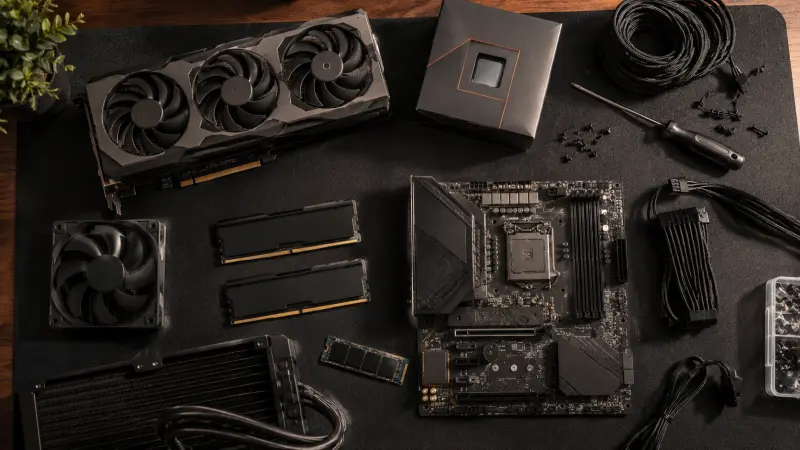
Building a gaming PC on a budget in 2026 costs more than it did even a year ago, and it is worth saying that plainly before getting into specific parts. RAM prices have roughly doubled since late 2025 due to an AI-driven DRAM shortage, and GPU prices remain above MSRP across most of the market. The good news is that component performance per dollar has still improved meaningfully, and a self-built PC continues to outperform a similarly priced pre-built system in nearly every case.
Here is what a realistic budget build looks like right now, broken down by price tier.
Why build instead of buy pre-built
Pre-built gaming PCs typically carry a 15 to 20 percent premium over the cost of buying the same components individually, and you generally get less control over critical parts — particularly the power supply, which budget pre-builds frequently skimp on in ways that are not obvious from the spec sheet. For a comparable price, a self-built $900 to $1,000 PC will reliably outperform a pre-built system at the same price point, while also giving you full control over the case, cooling, and upgrade path.
The tradeoff is time and a small amount of risk. Building a PC requires patience, a Phillips screwdriver, a static-safe surface, and roughly an afternoon for a first-time builder. It is not difficult in the way it sounds, but it does require following a guide carefully rather than improvising.
The realistic entry point: $700 to $800
The cheapest genuinely capable 1080p gaming build currently sits closer to $785, not the $500 to $600 figure that was achievable a couple of years ago. If your budget genuinely caps below that, the more sensible move is to wait and save rather than compromise on a GPU weak enough that you will need to replace it within a year.
At this tier, a 6-core AMD Ryzen processor paired with a current-generation budget GPU — the Intel Arc B580 or a similarly priced AMD or Nvidia card — delivers strong 1080p performance at High settings across most modern games. 16GB of RAM is the firm minimum in 2026; going below it will bottleneck performance regardless of how strong the rest of the build is.
The sweet spot: $1,000 to $1,100
For most people in 2026, this tier represents the strongest overall value. A Ryzen 5 9600X paired with an Nvidia RTX 5060 handles 1080p gaming at Ultra settings comfortably and manages 1440p at reasonable settings without requiring a significant additional investment. This is the first price point where you are not making meaningful compromises for a 1080p-focused setup, and it leaves a sensible upgrade path if you later want to push into 1440p more seriously.
Stepping up to genuine 1440p: $1,400 to $1,500
At roughly $1,500, a build centered on a Ryzen 5 9600X and an Nvidia RTX 5070 or AMD RX 9070 handles 1440p gaming strongly and manages ray tracing in most titles without dropping below comfortable frame rates. This tier requires accepting that overall system cost has climbed across the board due to RAM and SSD pricing, but it remains the most efficient point at which to invest if 1440p is your actual target resolution rather than an eventual upgrade.
What to prioritize when your budget is tight
GPU spending should come first, before anything else. The graphics card is the single component most responsible for in-game performance, and skimping here to afford a flashier case or more RGB lighting is the most common mistake first-time builders make. A 6-core CPU is the practical minimum; four-core processors consistently struggle to maintain stable minimum frame rates in modern titles, even when paired with a strong GPU.
Never cut corners on the power supply. A failing or low-quality PSU can damage every other component in the system. Stick to recognized brands with at least an 80+ Bronze efficiency certification. By contrast, the case is one of the safest places to save money — a $40 to $50 mid-tower from a reputable brand performs the same job as a $150 premium case, provided it has decent airflow. Aesthetics do not affect frame rates.
Platform choice
AMD’s AM5 socket is the sensible default platform for a new build in 2026. It supports current Ryzen 7000 and 9000 series processors and has confirmed support for future Zen 6 chips, meaning a motherboard purchase now should remain relevant across multiple future CPU upgrade cycles. AM5 motherboards now start under $150, making the platform accessible even at lower budget tiers.
Before you buy anything
Use a compatibility checking tool such as PCPartPicker before finalizing any parts list. It will flag mismatched components, confirm your chosen case fits your chosen motherboard, and verify your power supply has sufficient wattage for the rest of the build. Component prices fluctuate, sometimes significantly, week to week given current supply conditions, so check current listings immediately before purchasing rather than relying on prices from even a recent article.
The bottom line
A genuinely capable 1080p gaming PC realistically starts around $785 to $800 in 2026, with $1,000 to $1,100 representing the strongest value for most players who want headroom into 1440p. Prioritize the GPU and power supply, treat the case and cooling as places to save, and use a compatibility tool before finalizing any purchase. The actual assembly process, intimidating as it may sound, is genuinely one of the more approachable parts of the entire project.
Component pricing reflects market conditions as of mid-2026 and is subject to change.